The Bench · 28 September 2026
Volts, watts and the little white brick: a friendly guide to USB-C chargers
One USB-C charger can now run your phone, your tablet and your laptop - if you pick the right one. Here is what the volts and watts on the box mean, what separates a laptop charger from a phone one, and which cable to pair it with.
Most of us have a drawer of chargers: a chunky laptop brick, a couple of cubes from old phones, and something with a cable that no longer fits anything. The good news is that USB-C has quietly made most of that drawer unnecessary. One well-chosen charger can now top up your phone, your tablet, your earbuds and, yes, your laptop. The slightly less good news is that the numbers on the box (volts, amps, watts, and letters like PD and PPS) decide whether that actually works. They are much simpler than they look, so let's go through them.
Why USB-C won
USB-C is the small oval plug that goes in either way up. It carries data and power, and crucially it carries a lot of power: enough to run a laptop, not just a phone. Before it, every laptop maker had its own barrel plug and its own brick, and a phone charger was useless for anything bigger than a phone.
The law has nudged things along too. EU rules have required USB-C charging on new phones, tablets, earbuds and similar gadgets since the end of 2024, and on laptops since April 2026. The UK is not bound by them, but manufacturers do not build separate UK models, so the effect is the same here. It is also why so many phones now arrive without a charger in the box: the assumption is that you already own a USB-C one. This guide is about making sure the one you own is the right one.
Watts, volts and amps in one breath
Watts are the number that matters most, because watts are how fast energy goes into your battery. They come from multiplying the other two: volts × amps = watts. A charger giving 9 volts at 3 amps delivers 27 watts. One giving 20 volts at 3.25 amps delivers 65.
If it helps, picture a garden hose. Voltage is the water pressure, amps are how wide the hose is, and watts are how much water comes out per second. You can get more water with more pressure or a wider hose. USB-C chargers mostly raise the pressure rather than widening the hose, because more current means more heat in the cable and the connector. That is why chargers step up in voltage (5, 9, 15, 20 volts and beyond) instead of just pushing more amps.
The chat that happens before any charging starts
Here is the part that surprises people: a USB-C charger does not decide how much power to send. Your device does. When you plug in, the charger starts at a gentle 5 volts, which anything can take. Then the two have a short digital conversation using a standard called USB Power Delivery, or PD. The charger lists what it can offer ("I can do 5, 9, 15 or 20 volts, up to this many amps") and the device picks the step it wants. Only then does the voltage go up.
A charger offers. The device decides.
That is why it is perfectly safe to charge a small phone from a big laptop charger. The phone simply asks for what it can handle, and the extra capacity sits unused. A 100-watt charger does not force 100 watts into anything. The reverse is where problems come from, as the next section explains.
What makes a phone charger, and what makes a laptop charger
Physically they can look almost the same. The difference is which rungs of that voltage ladder they offer, and how many watts they can sustain.
A phone charger is built around 5 and 9 volts, typically somewhere between 20 and 45 watts. That covers every phone in our index: recent iPhones peak somewhere in the 20s to around 40 watts, Pixels sit around 30, and Samsung's Ultra models go up to 45. Phones only draw their peak for the first few minutes anyway, so beyond around 30 watts the extra speed on most phones is modest.

One USB-C port, about the size of the plug itself. Plenty for any phone, and it will keep a tablet happy too.
£24.99 at AmazonA laptop charger needs the top rung: 20 volts. Nearly every laptop that charges over USB-C asks for 20 volts, and if the charger cannot offer it, many laptops will either refuse to charge or show a "slow charger" warning. This is the classic trap. A small 20-watt phone cube typically offers only 5 and 9 volts, so plugging it into a laptop often does nothing at all. A 30-watt charger usually does include 20 volts, but at low current: the laptop will charge while it is asleep and may slowly drain while you work.
Laptops also want more watts. Thin-and-light machines are comfortable on 45 to 65 watts, bigger performance laptops want 100, and the largest 16-inch machines now take 140 watts or more. Above 100 watts, chargers use a newer part of the standard (called Extended Power Range) that adds 28, 36 and 48 volt steps, all the way to 240 watts.

Charges happily from any decent USB-C PD charger. Apple ships it with an adapter between 30 and 70 watts depending on configuration; the 70-watt one enables fast charging.
£1199.00 at AmazonA simple rule: to keep a laptop charging at full speed, match or beat the wattage of the charger it came with. Going lower still works, just slower, and it is handy to know that a small charger in your bag can keep a laptop topped up overnight in a hotel.
PPS: the small print for Samsung and Pixel owners
There is one more acronym worth knowing. PPS, or Programmable Power Supply, is an optional part of USB PD that lets the phone ask for very precise voltages, in tiny steps, rather than jumping between the fixed rungs. The phone can then keep the battery cooler while charging fast, because less of the conversion happens inside the phone.
Samsung's "Super Fast Charging" needs PPS. Plug a Galaxy into an ordinary PD charger without it and it still charges, but at a slower standard rate, even if the charger is rated at 65 watts. Pixels also prefer PPS. iPhones do not use it. If you have an Android phone, look for "PPS" on the charger's listing before you buy.
Up to 45W wired, but only from a PPS charger and with a 5A cable. On a regular charger it falls back to a slower speed.

Samsung's own PPS adapter: the easy way to get full speed out of an Ultra, and it will run a Galaxy Book in a pinch.
£39.00 at AmazonOne brick, several ports: how the sharing works
Multi-port chargers are brilliant for travel: one plug, one brick, everything charged overnight. The thing to understand is that the big number on the box is the total, shared between the ports. A 65-watt, three-port charger can give 65 watts to one laptop on its own, but plug in a phone as well and it splits, perhaps 45 for the laptop and 20 for the phone. Every model splits differently, and the good ones print a table in the listing showing exactly how. It is worth a glance before buying.
You may also notice everything briefly stop charging when you plug in a second device. That is normal: the charger is renegotiating with each device to hand out the new split. It takes a second or two.
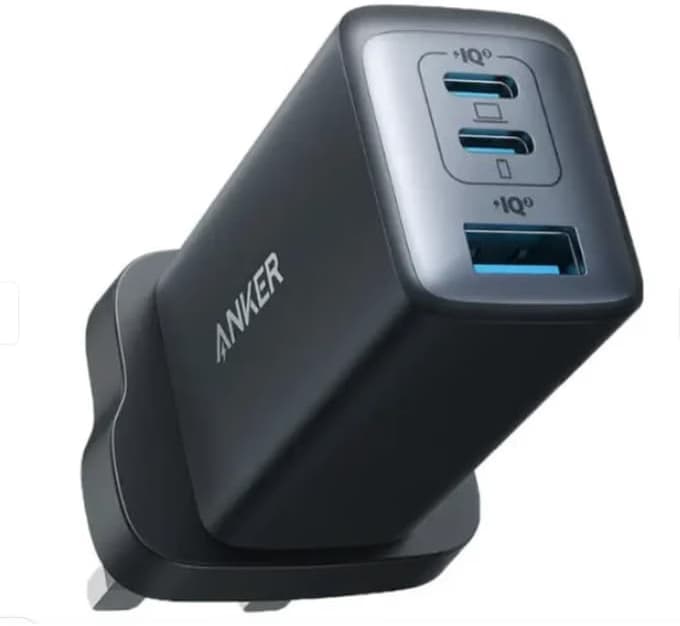
Three ports and 65W total. Enough for a thin laptop and a phone at once. If you only buy one charger, this is the one.
£54.99 at Amazon
Does the same job for less money, in a slightly bigger body, with folding pins for the bag.
£39.99 at Amazon
Two ports sharing 35W: ideal for an iPhone and an iPad, or a MacBook Air on the go without a big brick.
£59.00 at AmazonGaN: why chargers suddenly got tiny
If a 65-watt charger today is half the size of the laptop brick you had five years ago, thank gallium nitride, or GaN. It is a semiconductor material that replaces the silicon in a charger's power circuitry. GaN switches faster and wastes less energy as heat, so the parts can be smaller and packed closer together without cooking. The result is a charger that fits in a jeans pocket and runs a laptop. Nearly every good third-party charger now uses it; the word "GaN" on a listing is a good sign, though not a guarantee of quality on its own.
The cable is half the charger
A charger can only deliver what the cable can carry, and USB-C cables are not all equal. An ordinary cable is rated for 3 amps, which at 20 volts caps out at 60 watts. To go above that, a cable needs to handle 5 amps and contain a tiny chip called an e-marker, which tells the charger it is safe to push harder. Without it, your 100-watt charger politely limits itself to 60.
The easy answer is to buy cables labelled 100W or 240W. They cost little more than basic ones, they work with everything, and they remove the cable from the list of things that could be slowing you down. One caution: many high-wattage cables are charging-first, with slow data speeds. For fast data to drives or docks, you want a Thunderbolt or USB4 cable.
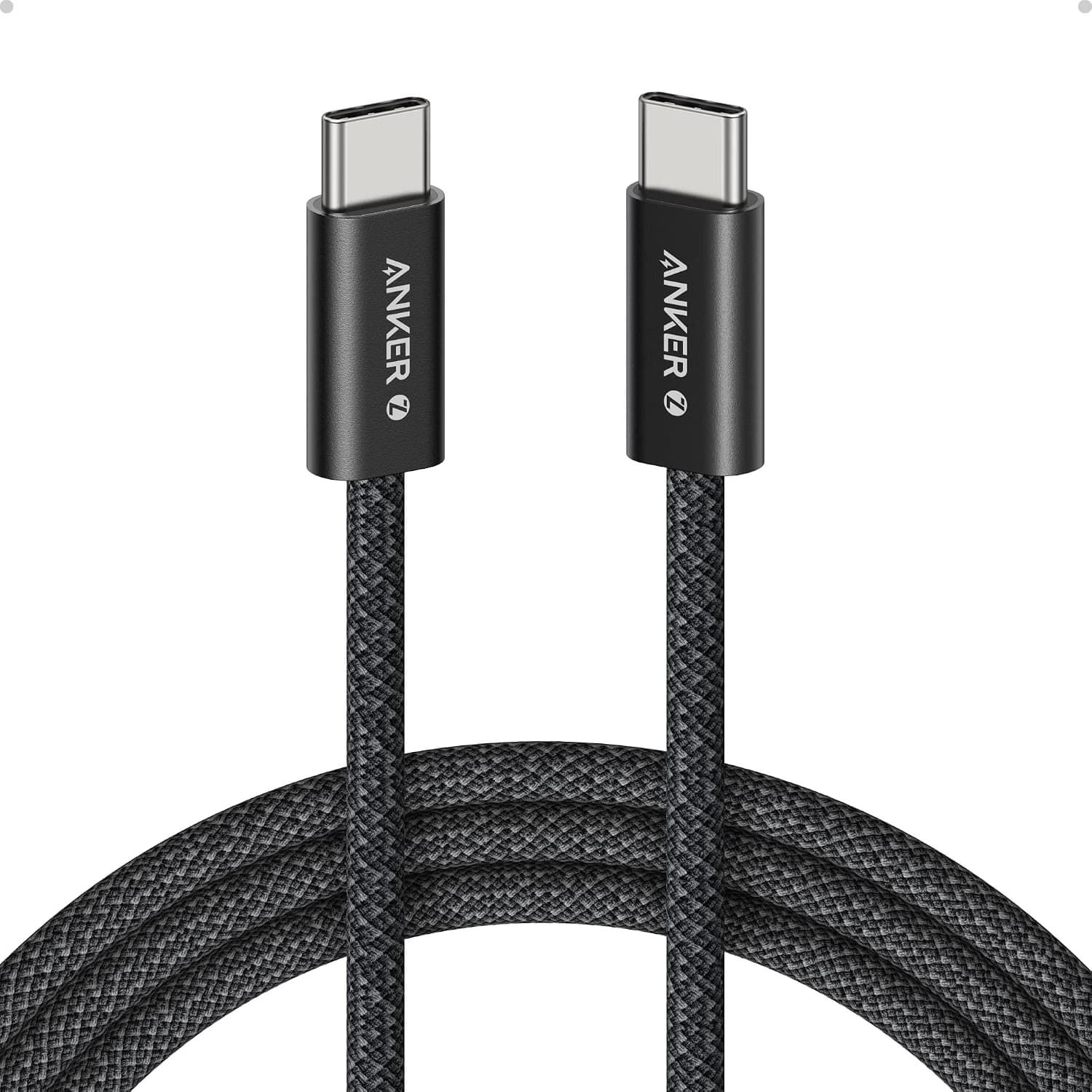
Rated for 240W with an e-marker, braided, and 1.8 metres long enough to reach the sofa. Buy two.
£19.99 at Amazon
The budget pick that is still properly rated. Great for charging; not the one for fast data.
£12.99 at Amazon
When you need both: 100W charging and 40Gbps data for docks and displays. When a dock misbehaves, it is almost always the cable.
£69.00 at AmazonWhy charging slows down at 80%
Fast charging is fast at the start and gentle at the end, on purpose. A lithium-ion battery happily accepts a lot of power when it is fairly empty, so phones pull their peak wattage for the first stretch, often reaching half full in around half an hour. As the battery fills, the device lowers the current to protect it, and the last 20% takes noticeably longer. That is why a charger's headline wattage matters most when you are in a hurry and the battery is low.
Heat is the real enemy of battery life, more than charging speed itself. Charging on a cool surface, out of direct sun and not under a pillow, does more for your battery's long-term health than choosing a slower charger. Many phones and laptops now offer an option to stop at 80% overnight, which is well worth turning on if you tend to charge while you sleep.
Power banks speak the same language
Everything above applies to power banks too: a USB-C PD power bank is just a charger with a battery inside. Output watts decide what it can charge (look for 60 watts or more if you want it to run a laptop), and PPS support matters for Samsung phones just as it does with wall chargers.
One number worth knowing for travel is watt-hours. Power banks are usually sold by milliamp-hours, but airlines care about watt-hours, and the common limit for carry-on without special approval is 100Wh. To convert, multiply the mAh by 3.7 and divide by 1,000: a 20,000mAh bank is about 74Wh, comfortably under. Power banks always go in hand luggage, never in the hold, and it is worth checking your airline's rules before you fly.
Enough output to charge a laptop at full speed, and a screen that shows real watts in and out. 74Wh, so airline-friendly.
£129.99 at Amazon
Pocket-sized, around two phone charges. The one you will actually carry every day.
£39.99 at AmazonA few safety habits
Chargers handle mains electricity, so this is the one place where the cheapest option is a genuinely bad idea. Unbranded bricks from marketplace sellers are regularly found with poor insulation between the mains side and the USB side. Stick to known brands and reputable sellers, look for UKCA or CE marking, and be suspicious of a "100W" charger that costs less than a sandwich.
A charger that feels warm is normal: some energy always turns into heat. One that is too hot to hold comfortably, smells, buzzes loudly or has a cracked case should be unplugged and replaced. And do not charge phones or laptops on the bed or under covers, where heat has nowhere to go.
The short version
For a phone only, a 30-watt USB-C PD charger is the sweet spot, and it should say PPS if your phone is a Samsung or a Pixel. For a laptop, make sure the charger offers 20 volts and at least the wattage of the one your laptop came with. For both, a 65-watt multi-port GaN charger covers nearly everyone, as long as you check how it shares power between ports. And pair any of them with a 100W or 240W-rated cable, so the cable is never the thing holding you back.
Every charger and cable above has its own page in the index, showing which devices it has been checked against and where it is currently sold.
The retailer links in this piece are affiliate links — we earn a commission when you buy through them, at no extra cost to you. Prices are read out of our offer table as the page loads rather than typed into the copy, but they are the maker’s UK RRP rather than a live retailer price: the retailer’s own page is the final word.